
Install the app
How to install the app on iOS
Follow along with the video below to see how to install our site as a web app on your home screen.
Note: This feature may not be available in some browsers.
You are using an out of date browser. It may not display this or other websites correctly.
You should upgrade or use an alternative browser.
You should upgrade or use an alternative browser.
Leopard 10.5.3
- Thread starter aderium
- Start date
Thank you , for comment
Steps are:
1. Install 10.5.3
2. Install 5604
3. If problem is still over there, use mentioned kb
John, I followed these instructions meticulously and parallels works when I use it until after I re-boot my Macbook Pro *after having booted directly into my boot camp Vista install*. II install PD every time after I boot from Boot Camp Vista partiion it works just fine.

Under the scenario described above and detailed below I get this message when I click on Parallels:
-----
Parallels Desktop is unable to operate properly since it cannot communicate with one of its drivers. Try to restart the application to overcome this issue. If restart doesn't help re-install Parallels Desktop. Note that the Parallels drivers require a short time to be properly started and initialized. So you may need to wait a minute before trying to launch the application.
------
10.5.3 on a 2 day old Macbook Pro.
Parallels 5604 (5600 installed originally)
Vista Ultimate in Boot Camp partition as Guest OS.
So to review the scenario is:
1) Parallels 5604 working fine in OSX.
2) Re-boot back into OSX - Parallels works fine.
3) Boot into Boot Camp Vista Ultimate SP1 partition - works fine.
4) Re-boot into OSX - Parallels fails with above message and must be re-installled.
Just a re-install will fix it temporarily and I've also tried the kb article with the same results.
Help! - Thanks!
- Kelly
John@Parallels
Forum Maven
Do you have any USB wireless modem ,or Keyspan software?
Do you have any USB wireless modem ,or Keyspan software?
No I do not. I'm going to try following the kb article one more time just in case. Although I've already done it twice now.
PLEASE let me know if you have any other ideas or suggestions in the mean time.
Thanks! - Kelly
John@Parallels
Forum Maven
For deeper investigation please create ticket in support and just give a call and tell to assign ticket to John
For deeper investigation please create ticket in support and just give a call and tell to assign ticket to John
Thank you for you help and kind offer but much to my surprise I can no longer reproduce the error. I made no changes whatsoever other than my Macbook was powered off all night.
When I started it up today I thought I would test the scenario that was consistently failing yesterday one more time and much to my amazement it worked without any problems.
I have no explanation for this which is a bit frustrating but hey, it's working!
Thanks! - Kelly
Screen redraw problems in XP
I am using Parallels 3.0 (build 5600) and a MacBook Pro 2,6 GHz Intel Core2Duo (Merom) with GB RAM.
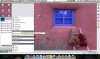
After upgrading to Leopard 10.5.3 and the Parallels 3.0 I started to have screen redraw problems and residual graphical prints of previously used windows in XP. These symptoms appear with a high frequency, even when I open Start -> Programs, any list item I select, will remain "selected" when I move the mouse.
If I use msn, a part of the previous background will remain on the screen and only those controls of msn will be displayed, that I activate. Also, when I use a webcam (and that is why I use Windows Live Messenger instead of the Mac version), screen refresh got very crappy, basically, my webcam (internal iSight) cannot produce a motion picture any more, only a series of blinking still images.
I do not know, whether it is the new Parallels or the new Leopard that causes the problem, but I am unhappy about the dramatic performance decrease.
I am using Parallels 3.0 (build 5600) and a MacBook Pro 2,6 GHz Intel Core2Duo (Merom) with GB RAM.
After upgrading to Leopard 10.5.3 and the Parallels 3.0 I started to have screen redraw problems and residual graphical prints of previously used windows in XP. These symptoms appear with a high frequency, even when I open Start -> Programs, any list item I select, will remain "selected" when I move the mouse.
If I use msn, a part of the previous background will remain on the screen and only those controls of msn will be displayed, that I activate. Also, when I use a webcam (and that is why I use Windows Live Messenger instead of the Mac version), screen refresh got very crappy, basically, my webcam (internal iSight) cannot produce a motion picture any more, only a series of blinking still images.
I do not know, whether it is the new Parallels or the new Leopard that causes the problem, but I am unhappy about the dramatic performance decrease.
Attachments
John@Parallels
Forum Maven
Please upgrade to 5608 downloading it from http://www.parallels.com/en/download/desktop/
screen redraw problems in XP
Dear John,
Thx for the info, I am now donwloading the new Parallels version. Btw the "Check for Updates" function did not show that a new version was available, that is why I thought I was using the up-to-date version.
Best Regards
Gergő
Dear John,
Thx for the info, I am now donwloading the new Parallels version. Btw the "Check for Updates" function did not show that a new version was available, that is why I thought I was using the up-to-date version.
Best Regards
Gergő
Dear John,
Thx for the info, I am now donwloading the new Parallels version. Btw the "Check for Updates" function did not show that a new version was available, that is why I thought I was using the up-to-date version.
Best Regards
Gergő
That's because the "updates function" doesn't work.
5608 should fix it though.
John@Parallels
Forum Maven
5608 will be officially published in 16th of June
@John:
If Build 5608 is officially published on 16 June, what about updates for the german version? I tried to install 5608 (the English version), but it did not accept the key for my copy of German Parallels. I already opened a support ticket (#542906), but maybe you can answer this question right now.
If Build 5608 is officially published on 16 June, what about updates for the german version? I tried to install 5608 (the English version), but it did not accept the key for my copy of German Parallels. I already opened a support ticket (#542906), but maybe you can answer this question right now.
John@Parallels
Forum Maven
We are planing to publish Localized builds on 18th of June
John@Parallels
Forum Maven
You will be able to download it either by Help-Check for updates
or going to http://www.parallels.com/de/products/desktop/
or going to http://www.parallels.com/de/products/desktop/
My boss bought 5608 from the web today, and he upgraded his Parallels desktop from a version like a year old. Now, he is having all sorts of video flickering. He can only run things under coherence mode. He is asking me to fix the issue for him. I tried all combinations like uninstall parallels tools, video drivers, etc, to no avail.
For your information, his system is a macbook pro, running OS X 10.4.11
Please help. My job is at risk now.....!!!!!!!!!!
For your information, his system is a macbook pro, running OS X 10.4.11
Please help. My job is at risk now.....!!!!!!!!!!
Try this:
1. Back up your VM's (just in case)
2. Uninstall Parallels desktop (there's an uninstaller in the DMG file)
3. Follow this document to make sure everything is gone: http://kb.parallels.com/en/4790
4. Install Parallels Desktop
5. Update Parallels Desktop tools in your VM's.
1. Back up your VM's (just in case)
2. Uninstall Parallels desktop (there's an uninstaller in the DMG file)
3. Follow this document to make sure everything is gone: http://kb.parallels.com/en/4790
4. Install Parallels Desktop
5. Update Parallels Desktop tools in your VM's.
Try this:
1. Back up your VM's (just in case)
2. Uninstall Parallels desktop (there's an uninstaller in the DMG file)
3. Follow this document to make sure everything is gone: http://kb.parallels.com/en/4790
4. Install Parallels Desktop
5. Update Parallels Desktop tools in your VM's.
Thank you very much. May I know how to backup VM?
The VM's are located in you documents folder in a folder called "Parallels." Simply copy that folder to someplace else (like an external drive).
I think I only have one chance to do this... You know, the Mac belongs to the president of our company, and I do not think he has to patience.
How sure are we the procedures will work? What was wrong with my previous installation? Anybody knows?