
Install the app
How to install the app on iOS
Follow along with the video below to see how to install our site as a web app on your home screen.
Note: This feature may not be available in some browsers.
You are using an out of date browser. It may not display this or other websites correctly.
You should upgrade or use an alternative browser.
You should upgrade or use an alternative browser.
Leopard 10.5.3
- Thread starter aderium
- Start date
The situation is following.
When Windows goes back from StandBy or Hibernate mode it doesn't restore network connection, this is Microsoft design
So if I disable Window's standby or hibernation mode, that should solve the problem? What about Mac enters into standby or deep sleep mode even if Windows stays awake?
5608 CPU usage
So 5608 is a big improvement, but I still get Parallels occasionally taking up 100% CPU when the guest OS is just idling. It's not happening as much as in 5600 but still happens occasionally, and it usually takes a full reboot (not just a guest OS reboot and restarting parallels) to get it to behave again.
Anyone else noticing this?
So 5608 is a big improvement, but I still get Parallels occasionally taking up 100% CPU when the guest OS is just idling. It's not happening as much as in 5600 but still happens occasionally, and it usually takes a full reboot (not just a guest OS reboot and restarting parallels) to get it to behave again.
Anyone else noticing this?
So 5608 is a big improvement, but I still get Parallels occasionally taking up 100% CPU when the guest OS is just idling. It's not happening as much as in 5600 but still happens occasionally, and it usually takes a full reboot (not just a guest OS reboot and restarting parallels) to get it to behave again.
Anyone else noticing this?
I get that quite often, actually. It happened less before I made the upgrade to 10.5.3, and I upgraded to 5608 to see if that fixed it, but it didn't. Once my Guest OS goes to 100% CPU, it never recovers, and it won't shut down either. I have to do a Stop or Reset to get it back to normal.
John@Parallels
Forum Maven
So if I disable Window's standby or hibernation mode, that should solve the problem? What about Mac enters into standby or deep sleep mode even if Windows stays awake?
It too puts Windows to the same mode
CPU Usage
I figured out one of the things that now makes Parallels peak the CPU in the background is the USB device detection dropdown. When you connect a USB device, it asks in the background, "Parallels Desktop has detected the new USB device [your device]. Do you want this device to be automatically connected to the virtual machine Work XP?" If I leave this dialog open, which is easy to do if Parallells is running behind another window, both cores of my CPU max out at 100% until I click yes or no.
I figured out one of the things that now makes Parallels peak the CPU in the background is the USB device detection dropdown. When you connect a USB device, it asks in the background, "Parallels Desktop has detected the new USB device [your device]. Do you want this device to be automatically connected to the virtual machine Work XP?" If I leave this dialog open, which is easy to do if Parallells is running behind another window, both cores of my CPU max out at 100% until I click yes or no.
It too puts Windows to the same mode
What do you mean by Windows does not restore network connection after standby, etc.? My experience has been that VM is able to re-connect (redo DHCP) to Internet after waking up Mac OS from standby...
We are only having standby problem when Outlook is running under VM.
Thoughts?
I have two more issues to report.
One is I'm constantly running out of disk space, which is my own fault, but parallels behaves strangely at this point. Sometimes when the computer display is asleep, when I wake the computer, parallels 'eats' the mouse and I can't see the cursor until I click around a bunch, sometimes clicking in and out of parallels which helps.
When I get that "You do not have enough free disk space, click OK when you have freed enough disk space or cancel to shut down" error, the computer grinds to a halt. The mouse problem became more apparent because I couldn't see my cursor to click OK. Keyboard shortcuts let me delete some files and empty the trash, but I was 'blind' from being able to click on the OK button on parallels (return didn't work as a default shortcut). Somehow I managed to click it anyway.
The other major issue is, after this happens, my mac does not return to normal. It's still really really sluggish. The weird thing is my CPU meters are not peaked; they're between 20-30 percent. I don't know what's causing my computer to behave sluggishly without peaked CPU but it has to be some sort of memory thing. Sometimes the CPU meters freeze up displaying the next usage percentage for a couple seconds even though they're only at about 30%.
Anyone else having this problem?
One is I'm constantly running out of disk space, which is my own fault, but parallels behaves strangely at this point. Sometimes when the computer display is asleep, when I wake the computer, parallels 'eats' the mouse and I can't see the cursor until I click around a bunch, sometimes clicking in and out of parallels which helps.
When I get that "You do not have enough free disk space, click OK when you have freed enough disk space or cancel to shut down" error, the computer grinds to a halt. The mouse problem became more apparent because I couldn't see my cursor to click OK. Keyboard shortcuts let me delete some files and empty the trash, but I was 'blind' from being able to click on the OK button on parallels (return didn't work as a default shortcut). Somehow I managed to click it anyway.
The other major issue is, after this happens, my mac does not return to normal. It's still really really sluggish. The weird thing is my CPU meters are not peaked; they're between 20-30 percent. I don't know what's causing my computer to behave sluggishly without peaked CPU but it has to be some sort of memory thing. Sometimes the CPU meters freeze up displaying the next usage percentage for a couple seconds even though they're only at about 30%.
Anyone else having this problem?
I am running 5608 and have encountered graphical glitches like the ones you have described, but my virtual hard disk is not full. My mouse pointer sometimes disappears and some windows and dialog boxes in Office 2007 do not draw completely or correctly.
I noticed these kinds of problems when Windows XP is running in a window, as opposed to full screen or Coherence. Most of the time I work in full screen and do not have any problems.
I noticed these kinds of problems when Windows XP is running in a window, as opposed to full screen or Coherence. Most of the time I work in full screen and do not have any problems.
John@Parallels
Forum Maven
Will try to check for USB, but for other reported problems I suppose lack of disk space in Mac, High resolution - try to play with resolution, make disk defragmentation on Mac, and increase disk space on Mac side
Graphical Glitches
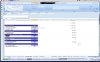
Attached you'll see a picture of the graphical distortions that I've encountered occasionally while working in Excel 2007. When this happened there was no screen saver active or in the process of giving me a view of the screen back and no suspension or hibernation.
It seems that everything else in windows was appearing fine, so it may be some issue with how the new version of Excel uses graphics in Windows. There again, I'm running Parallels Desktop 5608 and Leopard 10.5.3.
Attached you'll see a picture of the graphical distortions that I've encountered occasionally while working in Excel 2007. When this happened there was no screen saver active or in the process of giving me a view of the screen back and no suspension or hibernation.
It seems that everything else in windows was appearing fine, so it may be some issue with how the new version of Excel uses graphics in Windows. There again, I'm running Parallels Desktop 5608 and Leopard 10.5.3.
Attachments
netingenuity
Bit poster
Video Repaint problem
I've been having a similar problem, intermittently, with my MacBookPro,
which has Parallels installed. It occurs more in Parallels, but sometimes on
the Mac side.
It tends to happen when I put the laptop to sleep by closing it up and then
reopening it.
The Apple store advises that I have them run diagnostics on my machine to
find out what is causing it. This will take up to 48 hours. If it is a
software problem, it can be fixed in that time. If it is a hardware problem,
they will have to send the computer (under warranty) to someplace out of
state and it could take up to 7 days. I've been wanting to get this taken
care of, but can't afford to be without the machine for so long.
Your note is making me think it may be a Parallels-related problem and not
just that I have a faulty computer. Please do share what you find out about
the problem. Thanks!
I've been having a similar problem, intermittently, with my MacBookPro,
which has Parallels installed. It occurs more in Parallels, but sometimes on
the Mac side.
It tends to happen when I put the laptop to sleep by closing it up and then
reopening it.
The Apple store advises that I have them run diagnostics on my machine to
find out what is causing it. This will take up to 48 hours. If it is a
software problem, it can be fixed in that time. If it is a hardware problem,
they will have to send the computer (under warranty) to someplace out of
state and it could take up to 7 days. I've been wanting to get this taken
care of, but can't afford to be without the machine for so long.
Your note is making me think it may be a Parallels-related problem and not
just that I have a faulty computer. Please do share what you find out about
the problem. Thanks!
John@Parallels
Forum Maven
Parallels Desktop cannot affect MacOS side in terms of graphic glitches
Ask Apple store to check system.log in console it gives them some clues
Ask Apple store to check system.log in console it gives them some clues
netingenuity
Bit poster
Repaint problem on Parallels side, not Mac side
I asked the Apple Genius to look at system.log (she did) and she said that the repaint problem was application specific to Parallels (which she does not support). I was unsure if it had ever happened on the Mac side, but it definately occurs on the Parallels side. I'm relieved that it probably isn't happening on the Mac side.
Right now, Parallels starts up whenever I reboot my Powerbook. It does not appear among the startup programs on the Mac's system preferences. How can I disable Parallel's system startup so that it won't run until I manually start it up? I'd like to not have it run in the background in order to determine if, indeed, the color repaint problem is application specific.
If the color repaint problem is specific to Parallels, what should I do about it? Do I nee reinstall Parallels, or wait until Parallels comes up with an upgrade to fix the problem?
Thanks.
I asked the Apple Genius to look at system.log (she did) and she said that the repaint problem was application specific to Parallels (which she does not support). I was unsure if it had ever happened on the Mac side, but it definately occurs on the Parallels side. I'm relieved that it probably isn't happening on the Mac side.
Right now, Parallels starts up whenever I reboot my Powerbook. It does not appear among the startup programs on the Mac's system preferences. How can I disable Parallel's system startup so that it won't run until I manually start it up? I'd like to not have it run in the background in order to determine if, indeed, the color repaint problem is application specific.
If the color repaint problem is specific to Parallels, what should I do about it? Do I nee reinstall Parallels, or wait until Parallels comes up with an upgrade to fix the problem?
Thanks.
John@Parallels
Forum Maven
Could you please refer to system.log entries pointed by Apple Genius as Parallels fault?
netingenuity
Bit poster
Could you please refer to system.log entries pointed by Apple Genius as Parallels fault?
Sorry, I can't. She looked at my system log (and I could show you a copy of it), but I think she said it would only show when I installed Parallels or used it and wouldn't be helpful (or perhaps it was she who was not being helpful). She didn't show me anything in the log. But while I was there, there repaint problem was clearly occurring in Parallels and not elsewhere. I had to quit and restart Parallels in order for the repaint problem to go away. It is not currently occurring. When it does again, I can take screenshots. I have a few older screenshots I pasted into a draft email and that I could show you, if you want (I'll have to convert them into something I could attach to this forum).
John@Parallels
Forum Maven
In addition to log would you provide following
* Archive of /Library/Parallels/bugreports/ (right click on folder --> Create Archive)
or ~/Library/Parallels/bugreports/
* /Library/Logs/panic.log
or ~/Library/Logs/CrashReporter/Parallels.crash.log from the Mac side;
* Archive of /Library/Parallels/bugreports/ (right click on folder --> Create Archive)
or ~/Library/Parallels/bugreports/
* /Library/Logs/panic.log
or ~/Library/Logs/CrashReporter/Parallels.crash.log from the Mac side;
netingenuity
Bit poster
John, first I want to thank you for your help! But I'm having trouble finding the files you want me to send.
1. Where can I find system.log in the console? (The Mac genius did it without showing me how she did it and I've since closed the file). A search for system.log isn't revealing it in the finder.
2. Using the Mac finder, I located Library/Parallels/bugreports, but when I right click on it, it does not give me an option to Create Archive. The right click options are: Open, Move to Trash, Get Info, Compress, Duplicate, etc. The folder contains about twenty *.log files, all dated Jan 7 and Jan 8, which is around when I installed Parallels.
3. And there is no ~/Library/Logs/CrashReporter/Parallels.crash.log. I found two unrelated *.crash.log files (one for airport and the other Adobe version Cue), but not what you asked for.
I'll respond to your next note as soon as I can. I am going out now and will have intermittent email access throughout the day. Thanks again!
1. Where can I find system.log in the console? (The Mac genius did it without showing me how she did it and I've since closed the file). A search for system.log isn't revealing it in the finder.
2. Using the Mac finder, I located Library/Parallels/bugreports, but when I right click on it, it does not give me an option to Create Archive. The right click options are: Open, Move to Trash, Get Info, Compress, Duplicate, etc. The folder contains about twenty *.log files, all dated Jan 7 and Jan 8, which is around when I installed Parallels.
3. And there is no ~/Library/Logs/CrashReporter/Parallels.crash.log. I found two unrelated *.crash.log files (one for airport and the other Adobe version Cue), but not what you asked for.
I'll respond to your next note as soon as I can. I am going out now and will have intermittent email access throughout the day. Thanks again!
John@Parallels
Forum Maven
1. Where can I find system.log in the console? (The Mac genius did it without showing me how she did it and I've since closed the file). A search for system.log isn't revealing it in the finder.
In Terminal from Applications/Utilities
sudo tar -cvf 1.tgz /private/var/log/system*
you will see 1.tgz in Finder -username
2. Using the Mac finder, I located Library/Parallels/bugreports, but when I right click on it, it does not give me an option to Create Archive. The right click options are: Open, Move to Trash, Get Info, Compress, Duplicate, etc. The folder contains about twenty *.log files, all dated Jan 7 and Jan 8, which is around when I installed Parallels.
no need in this case.
Also did you reinstall 5608 as described in http://kb.parallels.com/en/4790
if not try to do this
and make sure o reinstall tools in VM
when reinstalling make sure old version dmg is unmounted and /or cd is not in CD-DVD
In Terminal from Applications/Utilities
sudo tar -cvf 1.tgz /private/var/log/system*
you will see 1.tgz in Finder -username
2. Using the Mac finder, I located Library/Parallels/bugreports, but when I right click on it, it does not give me an option to Create Archive. The right click options are: Open, Move to Trash, Get Info, Compress, Duplicate, etc. The folder contains about twenty *.log files, all dated Jan 7 and Jan 8, which is around when I installed Parallels.
no need in this case.
Also did you reinstall 5608 as described in http://kb.parallels.com/en/4790
if not try to do this
and make sure o reinstall tools in VM
when reinstalling make sure old version dmg is unmounted and /or cd is not in CD-DVD
netingenuity
Bit poster
Thanks! It's going to take more focus for me to follow you instructions than I can do this afternoon, but I hope to get to be able to understand and follow those instructions soon. I think I did the 5608 update, but can you tell me if there's a way to confirm that rather than just re-doing it?
1. Where can I find system.log in the console? (The Mac genius did it without showing me how she did it and I've since closed the file). A search for system.log isn't revealing it in the finder.
In Terminal from Applications/Utilities
sudo tar -cvf 1.tgz /private/var/log/system*
you will see 1.tgz in Finder -username
2. Using the Mac finder, I located Library/Parallels/bugreports, but when I right click on it, it does not give me an option to Create Archive. The right click options are: Open, Move to Trash, Get Info, Compress, Duplicate, etc. The folder contains about twenty *.log files, all dated Jan 7 and Jan 8, which is around when I installed Parallels.
no need in this case.
Also did you reinstall 5608 as described in http://kb.parallels.com/en/4790
if not try to do this
and make sure o reinstall tools in VM
when reinstalling make sure old version dmg is unmounted and /or cd is not in CD-DVD
netingenuity
Bit poster
File and questions for john@parallels.com
John, attached is the 1.trz for which you asked.
I still need to follow what you requested:
I'm not sure what you mean by "reinstall tools in VM" and "make sure old version .dmg is unmounted." (Sorry, I'm not that experienced on the Mac.)
I did recently reinstall Parallels per this instruction from parallels.com. Given this, do I need to also reinstall 5608 as described in http://kb.parallels.com/en/4790?
John, thanks for your help!
KK
John, attached is the 1.trz for which you asked.
I still need to follow what you requested:
Also did you reinstall 5608 as described in http://kb.parallels.com/en/4790
if not try to do this
and make sure o reinstall tools in VM
when reinstalling make sure old version dmg is unmounted and /or cd is not in CD-DVD
I'm not sure what you mean by "reinstall tools in VM" and "make sure old version .dmg is unmounted." (Sorry, I'm not that experienced on the Mac.)
I did recently reinstall Parallels per this instruction from parallels.com. Given this, do I need to also reinstall 5608 as described in http://kb.parallels.com/en/4790?
Dear Karen,
Please do the following:
(Parallels Desktop should be shut down before you start the following procedure.)
1. Download Parallels Desktop using the link below:
http://download.parallels.com/v3/en/GA/Parallels-Desktop-5608-Mac-en.dmg
2. Open and run "Uninstall Parallels Desktop".
3. Reboot the Mac.
4. Open downloaded DMG package and run "Install Parallels Desktop".
Note that reinstalling Parallels Desktop doesn't remove virtual machine(s).
Best regards,
Simon
Parallels Customer Service
http://www.parallels.com
> [KarenKreps@NetIngenuity.com - Wed Jul 02 00:59:05 2008 ]:
>
> Query category: Unexpected Mac OS X 10.5.x Leopard behavior
> Product: Parallels Desktop for Mac 3.x
> Build number: Other
> Build number: 5882
> Host OS: Mac OS X 10.5.x Leopard
> Host OS details: Product ID 00008-3221433638-030004
> Guest OS/Remote OS: Windows XP Home
> Guest OS/Remote OS details: Don`t know what you need here
> Type of computer: MacBook Pro
> Computer RAM: 2 - 4GB
> Description: When I check for Parallels updates, Parallels-Desktop-
> 5608-Mac-en.dmg downloads. But Parallels crashes when I try to
> install it. I`ve tried installation both after the download, when
> it asks if I want to install and also with Parallels closed,
> directly from the desktop. At Apple, my one-to-one trainer also
> could not help.
>
John, thanks for your help!
KK
Attachments
Last edited: