Parallels crashed, not able to reinstall

DavidA29

Bit poster
Hey guys,

i got a problem, i am not able to troubleshoot at my own.

Yesterday i want to start Parallels 12. Instead of opening my VM a window popped up saying, that the program crashes and if i want to send it to apple.
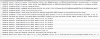
Reinstalling did not work, the console says: (screenshot)

Installing Parallels 14 (test-version) worked in the evening. At the next day it also crashes, giving the following crash-report:
Application Specific Information:
*** Terminating app due to uncaught exception 'NSInvalidArgumentException', reason: '-[__NSCFType setCreateResultFunction:withContext:callbacks:]: unrecognized selector sent to instance 0x7fbd3a060e00'
terminating with uncaught exception of type NSException
abort() called

Did not get it, because there was no update or new installation running when the first crash happens.

I use:
Parallels Desktop 12
Macbook Pro early 2011
2,3 GHz intel core i5
8 GB 1333 MHz DDR3
512 GB SSD (144GB free space)

thank you
 

Attachments

  • Screenshot_2018-11-05 10.03.01_BolFXJ.png
    Screenshot_2018-11-05 10.03.01_BolFXJ.png
    140.7 KB · Views: 1
Hey guys,

i got a problem, i am not able to troubleshoot at my own.

Yesterday i want to start Parallels 12. Instead of opening my VM a window popped up saying, that the program crashes and if i want to send it to apple.
Reinstalling did not work, the console says: (screenshot)

Installing Parallels 14 (test-version) worked in the evening. At the next day it also crashes, giving the following crash-report:


Did not get it, because there was no update or new installation running when the first crash happens.

I use:
Parallels Desktop 12
Macbook Pro early 2011
2,3 GHz intel core i5
8 GB 1333 MHz DDR3
512 GB SSD (144GB free space)

thank you
Hello DavidA29, Kindly quit Parallels Desktop 12 and then go to Finder--> Application--> Parallels Desktop then ( Right click and move to trash ). Go to Disk utility--> Macintosh HD and run ' First Aid '. restart the Mac computer completely and then reinstall Parallels Desktop 12 < www.parallels.com/directdownload/pd12 > and check with it. if the issue still persists then generate a Technical Report ID (refer to http://bit.ly/1lUhbwK for assistance) please follow the last step using terminal, while the issue occurs/the error message is being displayed (very important) and reply with the report ID number. We'll then investigate.
 
Now I am completely puzzled...
First: I am not able to generate a Technical Report, because Parallels is not running at any time.
Second: I tried the steps you mentioned --> did not work. And I even reinstalled my Mac completely from scratch (updating to Mac OS Sierra which was even planned, so I took the chance). And even on the clean, new Mac it did not work.
Console says:
Disallowing com.parallels.desktop.console because no eligible provisioning profiles found
 
Now I am completely puzzled...
First: I am not able to generate a Technical Report, because Parallels is not running at any time.
Second: I tried the steps you mentioned --> did not work. And I even reinstalled my Mac completely from scratch (updating to Mac OS Sierra which was even planned, so I took the chance). And even on the clean, new Mac it did not work.
Console says:
Disallowing com.parallels.desktop.console because no eligible provisioning profiles found
Please follow the steps from this article and check if it works.
 
Back
Top