Install the app
How to install the app on iOS
Follow along with the video below to see how to install our site as a web app on your home screen.
Note: This feature may not be available in some browsers.
You are using an out of date browser. It may not display this or other websites correctly.
You should upgrade or use an alternative browser.
You should upgrade or use an alternative browser.
Record screen audio problem
- Thread starter MohamedA5
- Start date

sergk
Parallels Developers
Hello,
some questions:
- have you updated the macOS during the last week?
- Were there other changes in you hardware/OS?
- Do other audio sources work in Record Screen tool, Internal Microphone, for example?
To help us investigate the problem please generate technical data report (open Toolbox window -> press on cogwheel -> Help -> Send technical data), send it and post it's ID here.
some questions:
- have you updated the macOS during the last week?
- Were there other changes in you hardware/OS?
- Do other audio sources work in Record Screen tool, Internal Microphone, for example?
To help us investigate the problem please generate technical data report (open Toolbox window -> press on cogwheel -> Help -> Send technical data), send it and post it's ID here.
sergk
Parallels Developers
Hi,
Do you also use 10.14.5 Beta version of macOS, as BertW?Same issue as well..bump
https://mysticalstudy.com/
sergk
Parallels Developers
BertW, MysticalStudy,
try do the next:
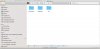
- Open "/Library/Audio/Plug-Ins/HAL" directory in Finder (open Finder window, then press Cmd+Shift+G and enter /Library/Audio/Plug-Ins/HAL )
- Remove "ParallelsToolboxAudio.driver" folder. You must have adim rights to do it.
- Restart your mac
- Open recording tool in Preferences mode: open Toolbox window -> right click on recording tool -> Preferences
- Choose 'Computer' as audio source. You will see dialogue about audio plugin installation. Install it.
- Restart mac and try to record sound again.
Have it helped?
try do the next:
- Open "/Library/Audio/Plug-Ins/HAL" directory in Finder (open Finder window, then press Cmd+Shift+G and enter /Library/Audio/Plug-Ins/HAL )
- Remove "ParallelsToolboxAudio.driver" folder. You must have adim rights to do it.
- Restart your mac
- Open recording tool in Preferences mode: open Toolbox window -> right click on recording tool -> Preferences
- Choose 'Computer' as audio source. You will see dialogue about audio plugin installation. Install it.
- Restart mac and try to record sound again.
Have it helped?