
Install the app
How to install the app on iOS
Follow along with the video below to see how to install our site as a web app on your home screen.
Note: This feature may not be available in some browsers.
You are using an out of date browser. It may not display this or other websites correctly.
You should upgrade or use an alternative browser.
You should upgrade or use an alternative browser.
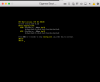
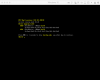
Win10 Boot Camp won't boot in Parallels
- Thread starter ThomasC9
- Start date
Alfena@Parallels
Pro
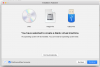
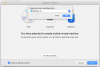
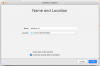
Hello @ThomasC9 , please import Boot Camp Partition by following the steps provided at http://kb.parallels.com/112941 and check if it works.
Thanks
Thanks

Hi @ThomasC9, this issue might have occurred due to the Partition boundaries are not recognized correctly on the disk. File system may or may not be damaged.
To fix the issue, please follow the steps provided mentioned below:
1. Check Windows hard disk for errors as described in this article.
2. Start Parallels Desktop without starting you Boot Camp based virtual machine.
3. In the menu bar choose Actions > Configure > Hardware > Boot Order > Advanced Settings and in Boot flags insert:
devices.sfilter.enable=0
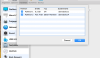
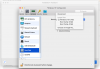
4. Now choose Hard Disk > Edit Partitions > EFI partition should be added.
To fix the issue, please follow the steps provided mentioned below:
1. Check Windows hard disk for errors as described in this article.
2. Start Parallels Desktop without starting you Boot Camp based virtual machine.
3. In the menu bar choose Actions > Configure > Hardware > Boot Order > Advanced Settings and in Boot flags insert:
devices.sfilter.enable=0
4. Now choose Hard Disk > Edit Partitions > EFI partition should be added.
@PaulChris@Parallels : Do you have any other idea?
Hi @ThomasC9, have you tried unchecking "EFI" from the list of partition? If not, please try it and keep us posted the results. Thanks!@PaulChris@Parallels : Do you have any other idea?
Hi @TimothyK1, can you please send us a problem report collected right after the error and a splash screen (Help menu > Send Technical Data...)? This will help us significantly, please reply me back with the report ID number.Still not working for me even with the 13.2 update. I've since tried VMWare Fusion 10 and it work like a pro as a virtual machine and with bootcamp.
Hi @ThomasC9, have you tried unchecking "EFI" from the list of partition? If not, please try it and keep us posted the results. Thanks!
I tried it, but it doesn't remember it. The next time I look at the list of partitions, it is checked again. Still not working...

Hemnath@Parallels
Parallels Support
Hemnath@Parallels
Parallels Support
Appreciate your time and effort on this. Please be informed that our engineering team is working on this issue at present. We'll keep you posted.
I tried it, but it doesn't remember it. The next time I look at the list of partitions, it is checked again. Still not working...
ThomasC9 and TimothyK1, please delete the existing boot camp virtual machines (if there are any) on your computers and create new ones. If you succeed, but the shell error screen (like the one mentioned in the beginning of this thread) comes up again, disable the EFI setting for the virtual machine and let us know what happens next.I'm having the same exact issue as ThomasC9. Thanks
EFI will not stay disabled. I can uncheck EFI, the disk disappears from my desktop and then reappears a few seconds later. To be honest I'm over this software as of now and using VM FusionWare. This has been an ongoing issue for over 4 weeks now and this is software I use for work as a software developer.