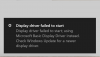
Windows 10 - Display driver failed to start

kevcollins

Junior Member
I've installed Windows 10 on Parallels 14. Although my windows apps will run, they will no longer work in coherency. When I try to switch to coherence, I get a message saying "display driver failed to start" and then it switches to the basic driver which is unusable. I've tried to update the display driver within Windows device manager but it cannot find an updated version. How can I get my Coherence back?
 
The problem has been fixed with assistance from the Parallels help desk through ticket 2637729. There were some Parallels configuration settings that were changed, most notably Resolution was set to be best for external displays (since I have one) and not the defaulted Best for Retina Displays
 
@kevcollins thank you for sharing your experience.
BTW during the remote session Parallels Support Engineer performed the following steps:
1. Increase RAM and Graphics memory in virtual machine configuration.
2. Reinstalled Parallels Tools.
3. Changed the view option to 'Best in external display'
 
Back
Top