
Install the app
How to install the app on iOS
Follow along with the video below to see how to install our site as a web app on your home screen.
Note: This feature may not be available in some browsers.
You are using an out of date browser. It may not display this or other websites correctly.
You should upgrade or use an alternative browser.
You should upgrade or use an alternative browser.
Windows 10 for ARM
- Thread starter DonaldB4
- Start date
-
- Tags
- arm-based os windows 10
thanks for helpOdd. Then I'm out of ideas.
it seems im unable to drag the new vdhx icon to the installation window it wont accept it
My installation has just updated to 10296.1010 (previously .1000) ...
Noticed that internet connection not working ... haven't tried to do fix yet ...
Still reeling from 10292.1010 ... rolled back to .1000 and recovered some disk space ... VM trashed and never booted since ...
Seen another poster record that recovering disk space corrupted things ... won't do that again ...
Anybody else on 10296.1010 yet ... noticing any issues ?
Noticed that internet connection not working ... haven't tried to do fix yet ...
Still reeling from 10292.1010 ... rolled back to .1000 and recovered some disk space ... VM trashed and never booted since ...
Seen another poster record that recovering disk space corrupted things ... won't do that again ...
Anybody else on 10296.1010 yet ... noticing any issues ?
I noticed that 296.1010 was a bit jittery when first updated. It's stabilized now. The internet connectivity behavior has not changed for me. Occasionally it loses access (especially after a resume), I just fire up cmd and type "ipconfig /renew". Not an ideal outcome, but oh well.
looks ok now with windows however when installing windows it now says
To create a compatible virtual machine, use an ISO or VHDX image file with an ARM-based operating system.


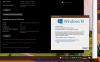
Hi there..
I have installed the the latest build from the Link provided in the begining of this thread. I have 2 questions:
1) Do i need to Activate this version. The systme is asking for Activation before I can cutomise the themes etc..
2) I've not been able to install Acrobat DC on the machine. DOes anyone know if this is supported?
Thank you
I have installed the the latest build from the Link provided in the begining of this thread. I have 2 questions:
1) Do i need to Activate this version. The systme is asking for Activation before I can cutomise the themes etc..
2) I've not been able to install Acrobat DC on the machine. DOes anyone know if this is supported?
Thank you
It's Build 21354.
PS: I was able to activate with my other Win10 Pro key.
So only question now is the Acrobat DC Compatability.
Update: After a few attempts and downloading a different Acrobat installer. I managed to get it installed and working well.Hi there..
I have installed the the latest build from the Link provided in the begining of this thread. I have 2 questions:
1) Do i need to Activate this version. The systme is asking for Activation before I can cutomise the themes etc..
2) I've not been able to install Acrobat DC on the machine. DOes anyone know if this is supported?
Thank you
I downloaded a VHDX image. Created a new virtual machine from Parallels Control Center. Walked through the wizard, clicked the large tile "Create New - Install Windows from a DVD or image file". The wizard automatically found the VHDX file and from there it installed Windows 10 Pro Insider Preview without any problems. Your Mac user should have admin-rights though, otherwise it will not run smoothly.
Hi. For how long will this "Insider Preview" work? I got it up and running ok but will this continue to work indefinitely? I expect not.Not necessarily. You can use the Insider Preview without activating it. If you have a Windows Pro license from an old Intel Windows that you are no longer using, you can use that to activate the ARM version, though.
CharlesS17
Bit poster
I am also having problems with the Windows 10 ARM preview. I go to the MS download page, but can not get onto the tab to the program. I think it may be because I do not have any version of Windows installed, so I am not recognized I do not want to try to purchase and download a "regular" version of Windows 10, and then get the preview, because I am concerned it might cause problems on the Mac (also, MS might just refuse to do it because it's incompatible with the Mac). Microsoft could offer no assistance, nor could Apple. Anybody able to help?
Go to insider.windows.com and register if you're not already registered. Then download Windows here: https://www.microsoft.com/en-us/software-download/windowsinsiderpreviewARM64 and create a new VM.
I can't manage to download the insider version... I only get an error page. I don't know what to do.