
Install the app
How to install the app on iOS
Follow along with the video below to see how to install our site as a web app on your home screen.
Note: This feature may not be available in some browsers.
You are using an out of date browser. It may not display this or other websites correctly.
You should upgrade or use an alternative browser.
You should upgrade or use an alternative browser.
Windows 11 on Arm
- Thread starter kundanno
- Start date
Mike Boreham
Pro
Has anyone gone on the Dev channel with the script and received 22449?
Is there a reason why recent messages have been to switch to the Beta channel?
I was on the Dev channel until the recent developments.
Is there a reason why recent messages have been to switch to the Beta channel?
I was on the Dev channel until the recent developments.
Mike Boreham
Pro
Thanks, so no reason not to go back on Dev channel now. Currently installing 22449.Do you men the now is a good time to switch to Beta messages? Those were just for those who prefer more stable builds than the ones in the Dev Channel. And because Dev and Beta Channels were offering the same builds for a while you could switch to Beta easily without having to install Windows again.
With Windows 10 we had to use the Dev Channel because no other builds were working on an M1 Mac. That's fortunately no longer necessary.
Microsoft is very specifically rejecting the Apple Silicon CPU, not the lack of TPM 2.0 (with PD17).
Looks like that only Qualcomm ARM64 CPUs get verified by this tool and also are eligible for dev preview channel.
AFAIK Parallels is not going to be able to mitigate this unless they start spoofing CPU identifiers or Microsoft decides that Apple Silicon CPUs are officially supported.
Verified with new PC Health Check app from Microsoft:
View attachment 18286
So what is the deal Parallels? Is this the end of the road and we are reduced to some sort of jailbreaking hack or is there a professional response from this company that continues to take large amounts of money for a product that is increasingly looking like being useless within a few weeks. Time to come clean guys. All the scripts and hacks in the world are not going to work if MS are hardware locking Apple Silicon out of the loop. TBH I increasingly hate anything MS so if its time to dump this rubbish then so be it but please be honest.
Thanks, so no reason not to go back on Dev channel now. Currently installing 22449.
You got the 22449 build without going to Dev channel? I ran the script and got updates back, but switched to the Beta channel and have received other updates, but not 22449. I only have "2021-08 Cumulative Update for Windows 11 for arm64-based Systems (KB5006050)" as a quality update installed on 9/2/21.
Have I done something wrong? My latest OS build shows as "22000.176" The offlineinsider tool shows I'm under Beta-Mainline but still in the Preview program, so did the 22449 really only release to the Dev channel?
Mike Boreham
Pro
You got the 22449 build without going to Dev channel? I ran the script and got updates back, but switched to the Beta channel and have received other updates, but not 22449. I only have "2021-08 Cumulative Update for Windows 11 for arm64-based Systems (KB5006050)" as a quality update installed on 9/2/21.
Have I done something wrong? My latest OS build shows as "22000.176" The offlineinsider tool shows I'm under Beta-Mainline but still in the Preview program, so did the 22449 really only release to the Dev channel?
Sorry I misled you there. At the point I said "no reason not to go back on Dev" I had already done it and was downloading 22449.
Yep. Same here. Seems we don't get 22449 build without an ISO install or by switching back to the Dev channel as Mike did above. I just want this compatibility thing to be fixed so we can roll on to Windows 11 "Release candidate build" within our parallels!Well I also used the script but went back to Beta channel.
I am at 21H2, 22000.176 and last Quality Update was KB5006050. So don't know if that is the latest or if something was missed.

Even though Parallels 17 seems to be resolving TPM and other remaining blocks, I haven't seen any indication that Microsoft will ever officially support Apple's M1 or future M series processors. I can imagine Microsoft weighing the prospect of leaving Parallels in an embarrassing and legally vulnerable situation vs. pressure to slow the Apple silicon juggernaut coming from Qualcomm, Intel, AMD, Lenovo, Dell, and other industry giants (not to mention Microsoft's own internal ARM processor ambitions). The sharp uptick in Mac sales since the M1's release has certainly not gone unnoticed.Microsoft is very specifically rejecting the Apple Silicon CPU, not the lack of TPM 2.0 (with PD17).
Looks like that only Qualcomm ARM64 CPUs get verified by this tool and also are eligible for dev preview channel.
AFAIK Parallels is not going to be able to mitigate this unless they start spoofing CPU identifiers or Microsoft decides that Apple Silicon CPUs are officially supported.
View attachment 18286
It's doubtful I'm the only one wondering why Parallels is so far ahead in supporting Windows ARM on Apple silicon compared to VMware which remains noncommittal about supporting it in their Fusion product. It may turn out that VMware has had deeper insight into Microsoft's plans than Corel.
Hey folks. There was a 17.0.1 update overnight (Sept 7). According to the KB notice, the compatibility message has been fixed. https://kb.parallels.com/en/125521
No time to play today, but it says the compatibility issue will no longer be displayed and you can freely switch Dev/Beta channels within Insider Preview without using the "insiderenroll" hack.
No time to play today, but it says the compatibility issue will no longer be displayed and you can freely switch Dev/Beta channels within Insider Preview without using the "insiderenroll" hack.
Woah, that was quick and awesome news! This is what I was waiting to hear before upgrading from Parallels 16.5 to 17.Hey folks. There was a 17.0.1 update overnight (Sept 7). According to the KB notice, the compatibility message has been fixed. https://kb.parallels.com/en/125521
No time to play today, but it says the compatibility issue will no longer be displayed and you can freely switch Dev/Beta channels within Insider Preview without using the "insiderenroll" hack.
If the processor block really is fixed, I'll be very happy to see our concerns about support for Windows 11 on Apple silicon laid to rest.
I used the offineinsiderenroll tool to remove myself from the insider program. After that I registered properly through the settings. I now have the option to change between channels in the settings app itself. I recommend you do it too.Any ideas if there is something necessary to do if we used the insider hack? Right now in Windows I see information stating I used that hack. Thanks.
Thanks for the instructions. That what I did.I used the offineinsiderenroll tool to remove myself from the insider program. After that I registered properly through the settings. I now have the option to change between channels in the settings app itself. I recommend you do it too.
However, if you run the "Health Checkup" app, it still says that the "Apple Silicon CPU isn't supported" and if you follow more info to the Windows website, it says we won't be able to run Windows 11 when released. It will be interesting to see what stance MS takes regarding this situation as it appears compatibility is now entirely in their hands short of attempting to "spoof" a different ARM CPU to MS.
Hallo allerseits, bei mir sieht es im Moment mit Parallels 16.5.1 wie folgt aus : am 02.09.21. Mail von Microsoft erhalten, mein PC erfüllt nicht Vorraussetzungen für Win 11 und ich soll Win 10 laden, am 03.09. jedoch Update erhalten, aber beim Start wird weiterhin Win 10 angezeigt(siehe Anlage), Microsoft Defender wird bis jetzt ständig aktualisiert. Ist die Situation wohl bei mir nur so, oder bei anderen auch? Und hat einer eine Ahnung, wie es wohl mit dieser Konstellation unter Parallels 16 weiter gehen wird?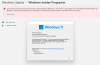

:-( Fände ich absolut Scheiße, wenn ich nach so kurzer Zeit upgraden müsste und schon wieder Geld - und das nicht unerheblich - dafür bezahlen müsste. Ich denke, dass da Parallels in der Pflicht ist und zumindest das Funktionieren von Win 10 unter Version 16 garantieren muss, denn damit haben sie ja geworben.Du wirst die kumulativen 22000.xxx Updates vermutlich weiterhin erhalten, da Windows 11 bei dir bereits installiert ist. Anschließend wird es aber keine Updates mehr geben. Auch eine Installation von Windows 10 ist nicht mehr möglich, da Microsoft keine Installationsdatei mehr zur Verfügung stellt, die mit M1 funktioniert. Du wirst früher oder später also auf Parallels 17 upgraden müssen.
Die Anzeige beim Start ist unerheblich. Wenn du den Namen deiner VM änderst, steht da auch nicht mehr Windows 10.
Dass eine Installation von Win 10 unter P 16 nicht mehr möglich sein soll, würde ich nicht verstehen, denn lt. der Mail von MS werden mir verschiedene Downloads angeboten - Siehe AnhangDu wirst die kumulativen 22000.xxx Updates vermutlich weiterhin erhalten, da Windows 11 bei dir bereits installiert ist. Anschließend wird es aber keine Updates mehr geben. Auch eine Installation von Windows 10 ist nicht mehr möglich, da Microsoft keine Installationsdatei mehr zur Verfügung stellt, die mit M1 funktioniert. Du wirst früher oder später also auf Parallels 17 upgraden müssen.
Die Anzeige beim Start ist unerheblich. Wenn du den Namen deiner VM änderst, steht da auch nicht mehr Windows 10.
Attachments
MatthiasE5
Hunter
https://www.theregister.com/2021/09/03/windows_11_start_broken/
I think we should thank Parallels developers for working so hard on this.
I think we should thank Parallels developers for working so hard on this.