kent nishi
Bit poster
solution that has worked for me
Hi Everyone,
I hope this solution may serve you well.
I recently was experiencing the same issues in terms of the network not being detected. I noticed that if i reseted to default my network adapters in parallels and restarted things would work and when i shut down or sleep my laptop, it won't work again.
I remember a known issue when i was still using windows 7 that the network gets screwed when i put my machine to sleep. Windows 8 has a feature calle fast-start which is a shutdown protocol that acts like sleep. so meaning to say if you shutdown your machine, you're technically putting it on sleep. Here's how you can fix this.
go to your power options (Win+X then select power options), then select "Choose what the power button will do"
click on "Change settings that are currently unavailable"
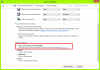
then untick the option under shutdown settings - "Turn on fast startup"
restart and all things should be okay. Hope this helps others.
Hi Everyone,
I hope this solution may serve you well.
I recently was experiencing the same issues in terms of the network not being detected. I noticed that if i reseted to default my network adapters in parallels and restarted things would work and when i shut down or sleep my laptop, it won't work again.
I remember a known issue when i was still using windows 7 that the network gets screwed when i put my machine to sleep. Windows 8 has a feature calle fast-start which is a shutdown protocol that acts like sleep. so meaning to say if you shutdown your machine, you're technically putting it on sleep. Here's how you can fix this.
go to your power options (Win+X then select power options), then select "Choose what the power button will do"
click on "Change settings that are currently unavailable"
then untick the option under shutdown settings - "Turn on fast startup"
restart and all things should be okay. Hope this helps others.