
Install the app
How to install the app on iOS
Follow along with the video below to see how to install our site as a web app on your home screen.
Note: This feature may not be available in some browsers.
You are using an out of date browser. It may not display this or other websites correctly.
You should upgrade or use an alternative browser.
You should upgrade or use an alternative browser.
3188 Problems
- Thread starter maynard
- Start date
Here is one...
I pluggede in a small 4 port USB Hub into the port that was working with the PPC to plug my iPod in.
I could not see the iPod in the Mac OS, makes sense that Parallels takes the whole port, no just what is connected to it.
Then I unplugged the USB Hub and Blue Screen the VM session.
MG
I pluggede in a small 4 port USB Hub into the port that was working with the PPC to plug my iPod in.
I could not see the iPod in the Mac OS, makes sense that Parallels takes the whole port, no just what is connected to it.
Then I unplugged the USB Hub and Blue Screen the VM session.
MG
santaliqueur
Bit poster
I do, in my first post. 1 GB.VTMac said:You never say how much Ram you have installed.
i didn't try that, i'll certainly try.it's entirely possible that your parallels tools install got messed up. I'd try uninstalling parallels tools, rebooting the vm, and reinstalling parallels tools.
i started with 512, but also tried 384, 256, 128, all resulted in poor osx performance, and painfully slow vm performance. thanks for the suggestions, guys.Finally, another user encourage you to allocated more memory to the VM, saying the more memory the better. That is categorically incorrect information. There are numerous threads on this forum with lots of independent datapoint that would indicate memory is a function of your specific application and generally LESS Ram is better. More ram allocated to your VM starves OSX of RAM. And the VM is dependent on OSX for services. On a 2 Gig machine you can get away with higher settings, but it generally won't improve performnce. On a 1 Gig machine, doing a 512 setting is basically death. Start with something like 384/512M (depending on your phsyical ram) and lower that number slowly until you find the minimum allocated RAM that works well for your environment.
The quick answer is -- you need more RAM. 1GB is really not enough.
However, you should find that 3188 is plenty fast if configured properly. Here is what I'd recommend for you:
1. Shut down your VM.
2. Go to VM preferences, and set your VM RAM at around 300-400MB.
3. Optional (choose "optimize for OS X" for the Cache behavior setting)
4. Go to Parallels/Preferences/Memory and choose "Adjust Reserved Memory" : Automatically.
5. Quit parallels.
6. Open /Applications/Utilities/Activity Monitor.
7. Select "All Processes" from the Pulldown, click to Sort by "Real Memory", and also click the "System Memory" tab at the bottom.
8. Check out the "Real Memory" column, and the "Wired" memory # at the bottom. Your goal is to figure out if you have any other memory hogs running in OS X and quit them, freeing up as much RAM as possible. (Don't worry about the "Virtual Memory" column, as that's basically meaningless).
9. Also, click the "% CPU" column and check for any high CPU processes and quit them. Your goal is to make sure that at idle, other programs aren't taking more than 5-10% of your CPU.
10. Once you've cleared as much RAM and CPU as possible, re-launch Parallels and try it out.
11. There are a bunch of settings within XP that you can also change to make it run faster. Things like System Restore, background disk indexing, and animated window effects all take CPU and access the disk.
However, you should find that 3188 is plenty fast if configured properly. Here is what I'd recommend for you:
1. Shut down your VM.
2. Go to VM preferences, and set your VM RAM at around 300-400MB.
3. Optional (choose "optimize for OS X" for the Cache behavior setting)
4. Go to Parallels/Preferences/Memory and choose "Adjust Reserved Memory" : Automatically.
5. Quit parallels.
6. Open /Applications/Utilities/Activity Monitor.
7. Select "All Processes" from the Pulldown, click to Sort by "Real Memory", and also click the "System Memory" tab at the bottom.
8. Check out the "Real Memory" column, and the "Wired" memory # at the bottom. Your goal is to figure out if you have any other memory hogs running in OS X and quit them, freeing up as much RAM as possible. (Don't worry about the "Virtual Memory" column, as that's basically meaningless).
9. Also, click the "% CPU" column and check for any high CPU processes and quit them. Your goal is to make sure that at idle, other programs aren't taking more than 5-10% of your CPU.
10. Once you've cleared as much RAM and CPU as possible, re-launch Parallels and try it out.
11. There are a bunch of settings within XP that you can also change to make it run faster. Things like System Restore, background disk indexing, and animated window effects all take CPU and access the disk.
I have been unable to get any USB devices to work in 3188. I'm sure it will be fixed. I think the suggestion of a re-install is silly. That is way too much work with Vista, and you can only register Vista with MS once, maybe twice, without having to go through the bother of calling up and "explaining" your situation, which is VERY weird / silly since you are running Vista on a Mac! 
Bob
Bob
Processor usage - this is just too much (build 3188)
OK, come on guys, can anybody - hopefully somebody from Parallels - explain the attached screenshot?
Parallels is doing nothing. Absolutely nothing except display the properties tab - and still it consumed between 4% and 12% of my MacBook Pro Core 2 Duo's CPU. Exactly what the heck is it doing? How many other inefficiencies like these are there?
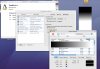
OK, come on guys, can anybody - hopefully somebody from Parallels - explain the attached screenshot?
Parallels is doing nothing. Absolutely nothing except display the properties tab - and still it consumed between 4% and 12% of my MacBook Pro Core 2 Duo's CPU. Exactly what the heck is it doing? How many other inefficiencies like these are there?
Image truncated
Seems that both image and message got truncated on upload. When doing absolutely nothing, Parallels is using between 4% and 12% of the CPU (I took the screenshot on a good moment).
Here's a link to the full image:
http://ricardo.strangevistas.net/files/Parallels_CPU_Usage.jpg
Seems that both image and message got truncated on upload. When doing absolutely nothing, Parallels is using between 4% and 12% of the CPU (I took the screenshot on a good moment).
Here's a link to the full image:
http://ricardo.strangevistas.net/files/Parallels_CPU_Usage.jpg
Freak The Mighty , I tried that , but it doesn't work for me .
Just going to try another suggestion which said that it is possible to share the 'folder' called /Volumes/ on the Mac with Parallels which should then provide a conduit to any mounted disk which is shown on the Mac desktop , including USB drives .
Just going to try another suggestion which said that it is possible to share the 'folder' called /Volumes/ on the Mac with Parallels which should then provide a conduit to any mounted disk which is shown on the Mac desktop , including USB drives .
Just tried this and it does indeed work well .
Naturally sharing /Volumes/ gives Windows access to all of your entire Mac disk(s) , I have given this read only status . I then look in the shared /Volumes/ 'folder' , once I have the name of the USB disk I can then add the specific disk to the shared folders as - /Volumes/USB_DISK/ ( where USB_DISK is replaced with the name of the actual USB disk name ) and give this folder only Read/Write access .
Better safe than sorry ...
I will later re-install 3188 as this was the only reason I went back to 3186 .
Hope this helps .
Naturally sharing /Volumes/ gives Windows access to all of your entire Mac disk(s) , I have given this read only status . I then look in the shared /Volumes/ 'folder' , once I have the name of the USB disk I can then add the specific disk to the shared folders as - /Volumes/USB_DISK/ ( where USB_DISK is replaced with the name of the actual USB disk name ) and give this folder only Read/Write access .
Better safe than sorry ...
I will later re-install 3188 as this was the only reason I went back to 3186 .
Hope this helps .
Using either 3186 or 3188 I had similar recurring problems with USB connected drives and printers (not being released by the MacOS to the Parallels VM) until I repaired permissions on the Mac side using Disk Utility. I now repair permissions after every Mac software update.
No more problems.
No more problems.
I'm new to this forum and although I've read of many issues with 3188 none seem to address my problem. I u pgraded from 3186 to 3188 yesterday and after the install Parallels seemed to have limited functionality -- the only buttons working were "start" and "stop." Couldn't get into coherence or anything else. Uninstalled and reinstalled 3186 (several times) but 3188 keeps installing.
Now when I try to start Parallels I get this somewhat long (and new) message "more than one Windows partition found. Refer to Parallels Desktop User Guide, Using Boot Camp Installation chapter for instructions on how to configure Parallels VM is case of a non-standard Boot Camp configuration." This, of course, offers no pertinent advice. Boot Camp is working becasue I can boot directly into Windows.
Since I don't expect to hear from Parallels Support for several day (if at all) any help/advice would be much appreciated.
Now when I try to start Parallels I get this somewhat long (and new) message "more than one Windows partition found. Refer to Parallels Desktop User Guide, Using Boot Camp Installation chapter for instructions on how to configure Parallels VM is case of a non-standard Boot Camp configuration." This, of course, offers no pertinent advice. Boot Camp is working becasue I can boot directly into Windows.
Since I don't expect to hear from Parallels Support for several day (if at all) any help/advice would be much appreciated.
santaliqueur
Bit poster
i have trouble believing everyone with 'only 1GB' of ram is having this much trouble with parallels. this seems like a nice product, but for some reason, it's not working for me, and it goes FAR beyond some performance tweaks that have been suggested in this thread. with parallels as the only open user application on my machine, the performance is still extremely slow. when i went to uninstall/reinstall parallels tools, i went to the add/remove module of the control panel, it took 10 minutes to populate the add/remove window with my installed applications. i realize i don't have a beast for a machine, but 10 minutes is not acceptable. i'm sure i probably have a build of parallels that doesnt agree with my hardware, because nobody would use this software if it was as slow as it is for me.xochi said:The quick answer is -- you need more RAM. 1GB is really not enough.
However, you should find that 3188 is plenty fast if configured properly. Here is what I'd recommend for you:
1. Shut down your VM.
2. Go to VM preferences, and set your VM RAM at around 300-400MB.
3. Optional (choose "optimize for OS X" for the Cache behavior setting)
4. Go to Parallels/Preferences/Memory and choose "Adjust Reserved Memory" : Automatically.
5. Quit parallels.
6. Open /Applications/Utilities/Activity Monitor.
7. Select "All Processes" from the Pulldown, click to Sort by "Real Memory", and also click the "System Memory" tab at the bottom.
8. Check out the "Real Memory" column, and the "Wired" memory # at the bottom. Your goal is to figure out if you have any other memory hogs running in OS X and quit them, freeing up as much RAM as possible. (Don't worry about the "Virtual Memory" column, as that's basically meaningless).
9. Also, click the "% CPU" column and check for any high CPU processes and quit them. Your goal is to make sure that at idle, other programs aren't taking more than 5-10% of your CPU.
10. Once you've cleared as much RAM and CPU as possible, re-launch Parallels and try it out.
11. There are a bunch of settings within XP that you can also change to make it run faster. Things like System Restore, background disk indexing, and animated window effects all take CPU and access the disk.
on the other hand, vmware fusion seems to be just fine with 1GB of host memory. winamp consumes 0-1% of cpu time, unlike 70+% in parallels. i can also see both cpu cores in vmware. i'll continue to look at parallels in the future, but vmware is what i'll be using for now. thank you guys for all the help.
Stradale said:I'm new to this forum and although I've read of many issues with 3188 none seem to address my problem. I u pgraded from 3186 to 3188 yesterday and after the install Parallels seemed to have limited functionality -- the only buttons working were "start" and "stop." Couldn't get into coherence or anything else. Uninstalled and reinstalled 3186 (several times) but 3188 keeps installing.
Now when I try to start Parallels I get this somewhat long (and new) message "more than one Windows partition found. Refer to Parallels Desktop User Guide, Using Boot Camp Installation chapter for instructions on how to configure Parallels VM is case of a non-standard Boot Camp configuration." This, of course, offers no pertinent advice. Boot Camp is working becasue I can boot directly into Windows.
Since I don't expect to hear from Parallels Support for several day (if at all) any help/advice would be much appreciated.
Did you try to reinstall Parallels Tools?
SanJoseBen
Member
Create a new VM
I was pleasantly surprised at the speed of Parallels when I first installed it. I have used other VM products on other OSs and machines that run well, but aren't always zippy.
When I bought my MacBook Pro Core 2 Duo 2.33 2 GB at the Apple Store, I bought Parallels without even trying it based on feedback at www.macintouch.com. I wasn't disappointed. Parallels running Win XP SP2 off of my Boot Camp partition seems nearly if not just as snappy UI-wise as running in Boot Camp for basic Office usage. Even Office 2003's speech recognition works well enough, even with only 1 virtual CPU.
I tried VMware as well and even the latest beta 2 is slower than parallels on my machine. Granted, they claim that's due to a lot of beta code.
I suggest you create a brand new virtual macine instead of using a converted one and see if that doesn't help. I've had real PCs slow to a crawl when loaded with software and used for a few months compared to a fresh install of Windows. Also, the latest versions of Parallels comes with an Anti-virus software that slows the VM down at startup while it checks for updates and scans the startup files.
Now some notes about memory. Do check your actual free memory on your mac. If you are running Parallels and for any reason active virtualized memory (i.e. Memory allocated to the Virtual Windows machine) is caused to be put into Mac OS X's virtual memory, you will be in for some long waiting. This could happen if you have many apps open in OS X and you then ask it to allocate a huge chunk to Parallels. I'm guessing that OS X does a good job of keeping active porgrams memory (i.e. Parallels) in RAM and not virtual memory, but there's only so much it can do if you're playing songs, downloading web pages, calculating large spreadsheets, and running filters on large images in Photoshop (you are probably not doing this
Oh yes, and if you are really low on hard drive space on your System drive, that could cause problems too.
My 1st guess would be that you might be using a VM loaded with software and their associated startup/background processes.
Good luck!
Ben
I was pleasantly surprised at the speed of Parallels when I first installed it. I have used other VM products on other OSs and machines that run well, but aren't always zippy.
When I bought my MacBook Pro Core 2 Duo 2.33 2 GB at the Apple Store, I bought Parallels without even trying it based on feedback at www.macintouch.com. I wasn't disappointed. Parallels running Win XP SP2 off of my Boot Camp partition seems nearly if not just as snappy UI-wise as running in Boot Camp for basic Office usage. Even Office 2003's speech recognition works well enough, even with only 1 virtual CPU.
I tried VMware as well and even the latest beta 2 is slower than parallels on my machine. Granted, they claim that's due to a lot of beta code.
I suggest you create a brand new virtual macine instead of using a converted one and see if that doesn't help. I've had real PCs slow to a crawl when loaded with software and used for a few months compared to a fresh install of Windows. Also, the latest versions of Parallels comes with an Anti-virus software that slows the VM down at startup while it checks for updates and scans the startup files.
Now some notes about memory. Do check your actual free memory on your mac. If you are running Parallels and for any reason active virtualized memory (i.e. Memory allocated to the Virtual Windows machine) is caused to be put into Mac OS X's virtual memory, you will be in for some long waiting. This could happen if you have many apps open in OS X and you then ask it to allocate a huge chunk to Parallels. I'm guessing that OS X does a good job of keeping active porgrams memory (i.e. Parallels) in RAM and not virtual memory, but there's only so much it can do if you're playing songs, downloading web pages, calculating large spreadsheets, and running filters on large images in Photoshop (you are probably not doing this
Oh yes, and if you are really low on hard drive space on your System drive, that could cause problems too.
My 1st guess would be that you might be using a VM loaded with software and their associated startup/background processes.
Good luck!
Ben
SanJoseBen
Member
I just had another thought. I don't know how much this would affect speed, but there was a thread about VT (Intel's technology for speeding up Virtual Machines) being disabled on some Mac Minis with a Firmware update. Parallels used VT and VMware does not by default. VMware's software was written before VT was available and Parallels was written with VT in mind. I've read places where VT can actually slow down VMware when enabled.
If your mini suffers from the lack of VT that may be why it's so slow. See this thread and maybe google it too. VT-X disabled by firmware update?
Again, good luck!
Ben
If your mini suffers from the lack of VT that may be why it's so slow. See this thread and maybe google it too. VT-X disabled by firmware update?
Again, good luck!
Ben
Please, try the following:
1. Inside Windows click "Start" -> "Control Panel" -> "Add/Remove programs"
2. Find "Parallel Tools" and select "Remove". Agree to completely remove it and wait for this process to complete. it might take several minutes (sometimes up to 10 min depending on your Mac's configuration)
3. Restart Windows. Wait for Windows to boot.
4. At the top of your Mac's screen select "Actions" -> "Install Parallel Tools". Agree to install. Install. Reboot Windows.
1. Inside Windows click "Start" -> "Control Panel" -> "Add/Remove programs"
2. Find "Parallel Tools" and select "Remove". Agree to completely remove it and wait for this process to complete. it might take several minutes (sometimes up to 10 min depending on your Mac's configuration)
3. Restart Windows. Wait for Windows to boot.
4. At the top of your Mac's screen select "Actions" -> "Install Parallel Tools". Agree to install. Install. Reboot Windows.
MikeBee -- thanks for your response.
Unfortunately, I now have to get into Windows via Boot Camp and when I try to remove PArallels Tools I get the message "Parallel Tools requires that your Windows is running under VM. The installation (removal) will be stopped."
Any oter suggestions would be welcome.
I've "trashed both 3186 and 3188 from my Mac OS X. I've downloaded 3188 again (it's the only one available) and still get the original Partition error message.
Needless to say, I'm getting frustrated.
Thanks for your help and for listening.
Unfortunately, I now have to get into Windows via Boot Camp and when I try to remove PArallels Tools I get the message "Parallel Tools requires that your Windows is running under VM. The installation (removal) will be stopped."
Any oter suggestions would be welcome.
I've "trashed both 3186 and 3188 from my Mac OS X. I've downloaded 3188 again (it's the only one available) and still get the original Partition error message.
Needless to say, I'm getting frustrated.
Thanks for your help and for listening.