There is ONE business application that I need to use Windows for - that is the reason I bought and installed Parallels and Windows 10 on my Mac. I had a 2016 12" MacBook Pro, and Parallels and Windows was devouring resources and running fans on high, so I upgraded hoping to stop this . . .
Current configuration:
New 16" MacBook Pro Mac OSX Catalina 10.15.3
2.3 Ghz 8 core i9
32GB Memory
2TB HD
Parallels Configuration options - upgraded to parallels 15.1.2
Processor allowance - 2 as per recommendation (although I had it set to 4 with no difference)
16 GB of Memory allocated within recommendation
Graphics memory is set to auto
The posting on the website says this could be caused by an "underpowered machine" and I thought perhaps that was the case, so therefore the new Mac, that by any stretch of the imagination is far from underpowered. So what else can I do?
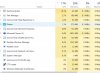
Processor usage is still over 100% (between 105 and 150 percent) every time I boot up parallels and windows according to activity monitor, and fans rev up immediately to start cooling the processor.
Current configuration:
New 16" MacBook Pro Mac OSX Catalina 10.15.3
2.3 Ghz 8 core i9
32GB Memory
2TB HD
Parallels Configuration options - upgraded to parallels 15.1.2
Processor allowance - 2 as per recommendation (although I had it set to 4 with no difference)
16 GB of Memory allocated within recommendation
Graphics memory is set to auto
The posting on the website says this could be caused by an "underpowered machine" and I thought perhaps that was the case, so therefore the new Mac, that by any stretch of the imagination is far from underpowered. So what else can I do?
Processor usage is still over 100% (between 105 and 150 percent) every time I boot up parallels and windows according to activity monitor, and fans rev up immediately to start cooling the processor.