
Install the app
How to install the app on iOS
Follow along with the video below to see how to install our site as a web app on your home screen.
Note: This feature may not be available in some browsers.
You are using an out of date browser. It may not display this or other websites correctly.
You should upgrade or use an alternative browser.
You should upgrade or use an alternative browser.
Performance problems in Windows 10 after upgrade to v14
- Thread starter DellW
- Start date

Don Awalt
Hunter
Have you updated to 14.0.1?.
This came yesterday, and I've been able to re-enable sleep, and the system is still working.
Mouse and keyboard working OK, none (as yet) of the 'disk is not going to respond' pauses.
Touch wood, appears this new release may have fixed the issues.
Yes, I have been on 14.0.1 for a little while, that did to fix it for me.
Don Awalt
Hunter
It seemed promising. There were several times the disk would lock up at 100% but I left it running. About an hour in, literally with it just sitting there, the monitor started to flicker and the machine became unresponsive and now it's basically dead. So still no good.
Nope - as I said, I was on 14.01 and had the problem. The workarounds are still working for me until they fix it, though.
I've found V14 to be terrible performance wise. I spend all day using Parallels for my work and V14 (and V14.1) is no where near as good performance as V13 was. Also, I've had the whole VM lock at times and when this has happened it seems like the VM gets corrupted as a couple of times I couldn't get it to restart...
I never had any of these issues on V13 - and unfortunately I've had to downgrade back to that version - but clearly this needs resolving ASAP as I've paid money !
I never had any of these issues on V13 - and unfortunately I've had to downgrade back to that version - but clearly this needs resolving ASAP as I've paid money !
Same here.. When this problem will be address?I reported in another thread but never saw a response, I am on a MacBook Pro 2018, Parallels 14, and I have times where there is non response from mouse/keyboard, and the symptom is System is using the disk pegged at 100%. It goes away in about 5-10 seconds depending on the instance.
I'm guessing you are running Win64?.
I have both a 32bit and 64bit Windows install. What is interesting is the disk performance is fine in the 32bit version, but in the 64, even after 14.0.1, you get odd moments showing latencies up to several thousand mSec, 100% disk active time, but terribly slow transfer rates. They are intermittent, and I haven't been able to work out what triggers the behaviour. However things over which you have no power do it (Windows update was showing this today).
14.0.1, has fixed the hibernate issue, but not this one.
I have both a 32bit and 64bit Windows install. What is interesting is the disk performance is fine in the 32bit version, but in the 64, even after 14.0.1, you get odd moments showing latencies up to several thousand mSec, 100% disk active time, but terribly slow transfer rates. They are intermittent, and I haven't been able to work out what triggers the behaviour. However things over which you have no power do it (Windows update was showing this today).
14.0.1, has fixed the hibernate issue, but not this one.
Further ongoing to this.
Are the people with the performance issue, possibly using more that one virtual drive?.
Spotted that on the Win64 system when it is having 'issues' Drive E, is sitting showing 100% active time, though it is not being accessed. Disk transfer rate is zero. Wondering if it is an issue with the virtual drives, when there are more than one?.
Are the people with the performance issue, possibly using more that one virtual drive?.
Spotted that on the Win64 system when it is having 'issues' Drive E, is sitting showing 100% active time, though it is not being accessed. Disk transfer rate is zero. Wondering if it is an issue with the virtual drives, when there are more than one?.
Yes, I'm using 3 Virtual Drives and 1 Network Drive.Further ongoing to this.
Are the people with the performance issue, possibly using more that one virtual drive?.
Spotted that on the Win64 system when it is having 'issues' Drive E, is sitting showing 100% active time, though it is not being accessed. Disk transfer rate is zero. Wondering if it is an issue with the virtual drives, when there are more than one?.
64bit Windows installation.
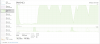
The same here since the update to Parallels 14 (14.0.1) - iMac, MacOS Sierra, 3.1 GHz, 16GB RAM, Fusion Drive.
Windows 10 takes between 6 and 9 minutes to start.
Parallels Support has tried everything - they said there seems to be a problem with the Fusion Drive, waiting for the next update.
Windows 10 takes between 6 and 9 minutes to start.
Parallels Support has tried everything - they said there seems to be a problem with the Fusion Drive, waiting for the next update.
Slow boot, is not quite the same issue. However I'd suspect 'strongly related'.
For me, the system will boot and run fine. Perhaps 80% of the time, it'll even hibernate and wake OK. However suddenly on a wake from hibernation (I don't think I have seen it when the system has stayed awake), it comes up with one or both drives showing 100% active time. Like this, it basically stops working. If you try to launch a program, it won't start. Try to shutdown, it won't shutdown. You can't save anything, keyboard 'sort of' responds, but like it is running in treacle. 100% 'active time', latencies of up to perhaps 10000mSec, and drive throughput rates of a very few KB/sec. If the system tries to actually do anything to the drive, you are completely stuffed...
Logged a support ticket with Parallels, and they came back wanting to do an online session. Problem is (of course), that if the system is running OK (as it is at the moment), there is nothing to see. While if the system is in this hung state, I wouldn't be able to launch the session. Ugh...
Emailed back pointing this out, but they haven't replied.
Have kept PD13 on an similar system, and this has kept running OK (so it hasn't been triggered by the Windows update). Everything on the Mac side runs fine. Even updated to Mojave, and made no change to the behaviour (was on High Sierra when it started). When I first installed PD14 (14.0.0), it was worse, with the system basically dying every time the Mac went in to suspect mode. The update the 14.0.1, made it possible to use suspend again, but not if you want the system to keep working.
A question. Having ruled out multiple virtual drives as the common factor, is possibly 'Fusion' the common thing. Is anyone having problems who are not running a Fusion drive (I am)?.
For me, the system will boot and run fine. Perhaps 80% of the time, it'll even hibernate and wake OK. However suddenly on a wake from hibernation (I don't think I have seen it when the system has stayed awake), it comes up with one or both drives showing 100% active time. Like this, it basically stops working. If you try to launch a program, it won't start. Try to shutdown, it won't shutdown. You can't save anything, keyboard 'sort of' responds, but like it is running in treacle. 100% 'active time', latencies of up to perhaps 10000mSec, and drive throughput rates of a very few KB/sec. If the system tries to actually do anything to the drive, you are completely stuffed...
Logged a support ticket with Parallels, and they came back wanting to do an online session. Problem is (of course), that if the system is running OK (as it is at the moment), there is nothing to see. While if the system is in this hung state, I wouldn't be able to launch the session. Ugh...
Emailed back pointing this out, but they haven't replied.
Have kept PD13 on an similar system, and this has kept running OK (so it hasn't been triggered by the Windows update). Everything on the Mac side runs fine. Even updated to Mojave, and made no change to the behaviour (was on High Sierra when it started). When I first installed PD14 (14.0.0), it was worse, with the system basically dying every time the Mac went in to suspect mode. The update the 14.0.1, made it possible to use suspend again, but not if you want the system to keep working.
A question. Having ruled out multiple virtual drives as the common factor, is possibly 'Fusion' the common thing. Is anyone having problems who are not running a Fusion drive (I am)?.