You are welcome. Feel free to reach out to us anytime for support.Thanks a lot!

Install the app
How to install the app on iOS
Follow along with the video below to see how to install our site as a web app on your home screen.
Note: This feature may not be available in some browsers.
You are using an out of date browser. It may not display this or other websites correctly.
You should upgrade or use an alternative browser.
You should upgrade or use an alternative browser.
Parallels desktop 10: "You have reached the maximum number of activations available"
- Thread starter George Fidias
- Start date
We have reset the activation key. Please follow the instructions below:Hi
I'm having the same issue, my license key has reached the maximum number of activations. Could you please reset it? Thanks!
1. Quit Parallels Desktop, then try to activate after launching it again.
2. If you are still unable to activate, Open Terminal on the Mac and execute this command: prlsrvctl activate-license-online
Note: Parallels Desktop 10 is not compatible with Sierra or newer macOS X versions.
We have reset the activation key. Please follow the instructions below:
1. Quit Parallels Desktop, then try to activate after launching it again.
2. If you are still unable to activate, Open Terminal on the Mac and execute this command: prlsrvctl activate-license-online
Note: Parallels Desktop 10 is not compatible with Sierra or newer macOS X versions.
Thank You
We are glad that the issue is resolved. Thank you for choosing Parallels.Thank You

SaravananR@Parallels
Member
Hi HeikoH1, thank you for reaching out! We have sent a private message. Please check and reply us back to help you better. Thanks, Saravanan.I'm having the same issue, my license key has reached the maximum number of activations. Could you please reset it? Thanks!
I used parallels desktop 11 in my old Mac. I have already sign out from my old Mac but I still faced the same problem "You have reached the maximum number of activations available for your activation key (http://www.parallels.com/eula). Please purchase a new product license."
Could you please help me to activate the program?
Could you please help me to activate the program?
We have reset your Parallels Desktop 11 key. Try to activate again and check.I used parallels desktop 11 in my old Mac. I have already sign out from my old Mac but I still faced the same problem "You have reached the maximum number of activations available for your activation key (http://www.parallels.com/eula). Please purchase a new product license."
Could you please help me to activate the program?

Maria@Parallels
Problem solver
Hello, we've reset your Parallels Desktop 10 license key. Please check the issue.I too have reached the maximum number of activations, but I no longer have the previous Macbook that it was installed on. I have a valid activation key, but cannot remove the older macbook.
Thank you
Hi and thank you Maria. I might be doing it too fast and there could be a delay, but I am getting the same message. Is there any additional information I can provide to support your efforts? Thanks againHello, we've reset your Parallels Desktop 10 license key. Please check the issue.
Maria@Parallels
Problem solver
Ok, if you're running Parallels Desktop 10 please check your inbox. If you're trying to activate another version, please let us know.Hi and thank you Maria. I might be doing it too fast and there could be a delay, but I am getting the same message. Is there any additional information I can provide to support your efforts? Thanks again
Success and you all are fantastic.Ok, if you're running Parallels Desktop 10 please check your inbox. If you're trying to activate another version, please let us know.
I'm having the same issue. Contacted support via email and they said that they reset my license and it should work. Tested and I still get the "too many activations" messages. Support then told me to "sign out of Parallels Desktop"
I don't see a way to sign out. I just get the window where I should enter the key. I've tried uninstalling PD and rebooting my Mac. Nothing is working.
I don't see a way to sign out. I just get the window where I should enter the key. I've tried uninstalling PD and rebooting my Mac. Nothing is working.
Maria@Parallels
Problem solver
Hi, we've rechecked your license. Please try again.I'm having the same issue. Contacted support via email and they said that they reset my license and it should work. Tested and I still get the "too many activations" messages. Support then told me to "sign out of Parallels Desktop"I don't see a way to sign out. I just get the window where I should enter the key. I've tried uninstalling PD and rebooting my Mac. Nothing is working.
And also check your inbox for more info
I am having the same issue where my Parallels is giving me the max number of licenses and I just had to get a replacement laptop and just moved my drive to the new computer. Help?
We have reset the activation key. Please follow the instructions below:
1. Quit Parallels Desktop, then try to activate after launching it again.
2. If you are still unable to activate, Open Terminal on the Mac and execute this command: prlsrvctl activate-license-online
Note: Parallels Desktop 10 is not compatible with Sierra or newer macOS X versions.
Maria@Parallels
Problem solver
Hi, we've reset your Parallels Desktop 10 license, please check the issue.I am having the same issue where my Parallels is giving me the max number of licenses and I just had to get a replacement laptop and just moved my drive to the new computer. Help?
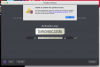
Still having the same issue. I used my software in Jan 15 2020 of this year on this MAC 10.13.6 OS High Sierra with no issue and now that I have replaced my laptop with a new motherboard, the software has stopped working. I included a screen grab from this morning when I tried to launch and as you can see I have removed the majority of my serial. So, I am at a loss to understand why this is still happening. Unfortunately, being disabled and in the current issue of limited employment earning I do not have even the $50 to upgrade or expend for a new version.Hi, we've reset your Parallels Desktop 10 license, please check the issue.
Please Help?
Kim
Attachments
Maria@Parallels
Problem solver
Hi, please check your inboxStill having the same issue. I used my software in Jan 15 2020 of this year on this MAC 10.13.6 OS High Sierra with no issue and now that I have replaced my laptop with a new motherboard, the software has stopped working. I included a screen grab from this morning when I tried to launch and as you can see I have removed the majority of my serial. So, I am at a loss to understand why this is still happening. Unfortunately, being disabled and in the current issue of limited employment earning I do not have even the $50 to upgrade or expend for a new version.
Please Help?
Kim