for all of you having problem with parallel desktop CPU.
Do you use a second monitor?
Hello,
yes I use a second Monitor and I have Problems...
Now I´m back to PD15 without no Problems

Follow along with the video below to see how to install our site as a web app on your home screen.
Note: This feature may not be available in some browsers.
for all of you having problem with parallel desktop CPU.
Do you use a second monitor?
Reducing it to 1 CPU only makes sense if you have Xeon processor. If you have i7/i9 won't be a problem.Hi,
I've reduced to one cpu but the performance lags. Has there been any solution from parallels engineering team as of yet?
Thank you.
Reducing it to 1 CPU only makes sense if you have Xeon processor. If you have i7/i9 won't be a problem.
I mean that reducing to 1 CPU is not going to solve the issue described in this thread unless you have a Xeon CPU, it was bug time a go and it was fixed, I reckon. I feel your pain regarding your fans kicking off like crazy, my solution for that matter has been disabling Turbo Boost in Big Sur and now in Monterey enabling Low Power mode. Helps a lot and in my case with 4 CPUs assigned to the VM when I utilise Mac's dGPU I can live with it. It was very challenging before being in Teams meetings (I am force to use a VM for my work).What do you mean by, won't be a problem? I have and i9 and 16 CPUs and 64GB. I've reduced Parallels Windows 10 to 4 CPUs and 8GB, no perceptible difference in performance from 8CPUs and 16GB but the fan is still on as I type this. Nothing else other than background tasks and Firefox are running on the Mac.
I mean that reducing to 1 CPU is not going to solve the issue described in this thread unless you have a Xeon CPU, it was bug time a go and it was fixed, I reckon. I feel your pain regarding your fans kicking off like crazy, my solution for that matter has been disabling Turbo Boost in Big Sur and now in Monterey enabling Low Power mode. Helps a lot and in my case with 4 CPUs assigned to the VM when I utilise Mac's dGPU I can live with it. It was very challenging before being in Teams meetings (I am force to use a VM for my work).

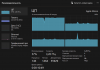
I started hitting this same thing after I enabled Nested Virtualization on the Windows10 vm. I use a bootcamp vm and wanted to use the linux subsystem. The difference between nested virtualization on and off is extreme. with it on, i'm running 200-800 %cpu according to Activity Monitor even when Task Manager is showing 5%. With it off, everything drops down to < 100%. right now cruising at 50% on the activity monitor.